Live Ports and Locked Doors: Proving Physical Network Access in UK Offices
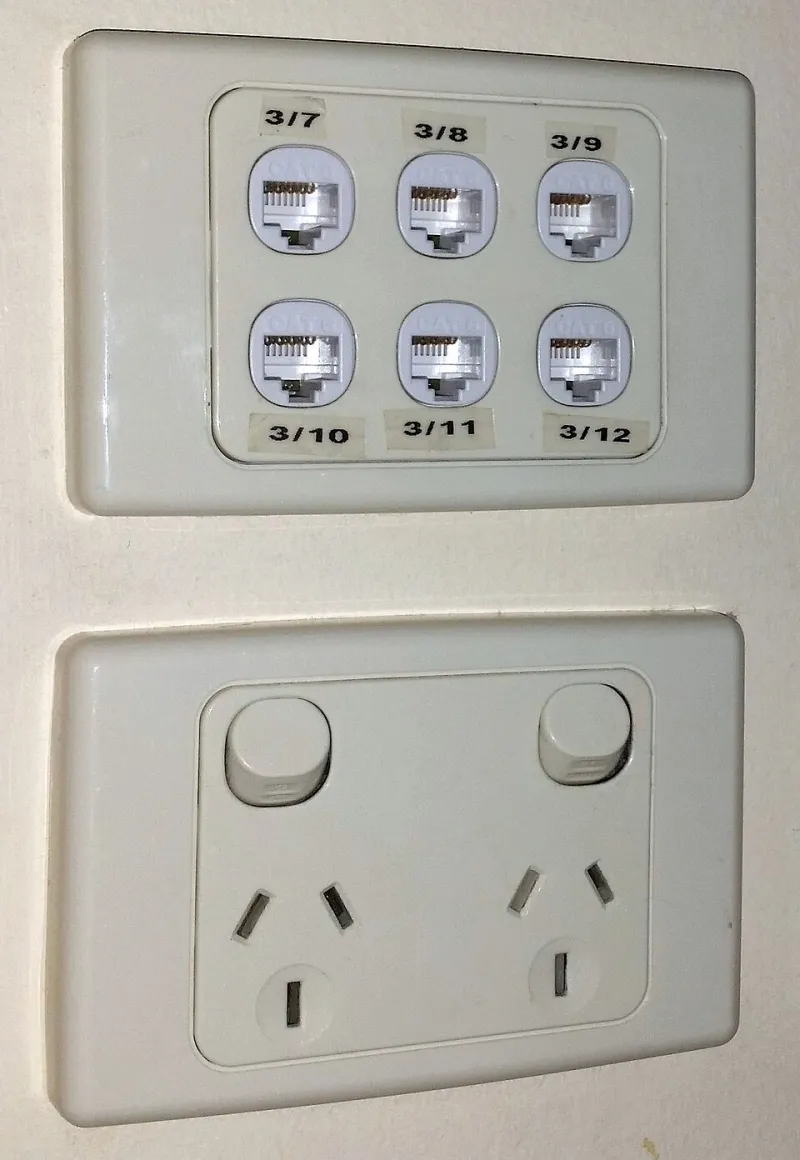
Photo: Fredquint, CC BY-SA 4.0, via Wikimedia Commons
A visitor sits in a meeting room, unplugs the conference phone, and connects a laptop to the socket in the floor box. Within seconds the machine has an address on the corporate range and can see the file server. Nothing was hacked. The building simply did what it was wired to do in 2014, and nobody has looked at that socket since.
Physical access is still access, and most UK SMEs have a much clearer picture of their firewall rules than of where their copper actually terminates. The audit described here is deliberately low-tech. It needs a floor plan, a label printer, a laptop, a cable tester and roughly a day for a typical two-floor office.
Walk the building with a plan
Start with the floor plan and mark every room: reception, meeting rooms, hot-desk zones, the comms cupboard, the print area, the kitchen, storage, and any space occupied by a tenant or contractor. Then walk it in order, because the value of this exercise is completeness rather than cleverness. Record four things for each outlet: where it is, whether it is live, what it is patched to, and what is currently plugged into it.
Photograph every floor box, dado rail and patch panel as you go. The photographs will settle more arguments than the spreadsheet.
Reception and public-facing space
Reception is the highest-risk area and the least examined. Look for:
- sockets behind the visitor sofa or under the signing-in tablet;
- a spare port beside the printer that anyone can reach;
- a small switch under a desk, added because somebody needed one more connection in 2019;
- the guest Wi-Fi password on a laminated card that has not changed since it was printed.
Any port in a publicly reachable space should either be disabled at the switch or patched to a segregated VLAN with no route to internal resources. A port that exists for a digital signage player should be documented as such, not left as a generic wall socket.
Meeting rooms and hot-desking zones
The pattern repeats across most offices. A room was fitted with four ports for a wired presentation setup that is now entirely wireless, and three of those ports are still live on the server VLAN. Hot-desking is worse, because the person plugging in changes daily and nobody thinks of the socket as an entry point.
Two workable approaches exist, and either is defensible. The first is 802.1X with certificate or credential-based authentication, so a port is only useful to an authenticated device. The second, more pragmatic for smaller estates, is MAC authentication with a fallback quarantine VLAN — unknown devices land somewhere that can reach the internet and the printer, and nothing else, with an alert to the IT contact.
Either way, the meeting room floor boxes should be reviewed against what the room actually needs today.
The comms cupboard and the switch map
Everything above rests on knowing which port maps to which outlet. In most SMEs it does not, or it does partially and the exceptions are unlabelled. Work through it methodically:
- photograph the patch panel and the switch face, port by port;
- use the switch's MAC address table and DHCP lease history to identify what is connected to each live port;
- match sockets to patches with a tester where the labels have faded;
- label both ends and update the diagram in whatever tool is actually used — a spreadsheet is fine if it is current.
Then apply a rule: unused ports are administratively shut down and documented as such. Ports that must stay live are enabled with the appropriate VLAN. This single change removes most of the accidental exposure in the building.
Guest Wi-Fi: isolated in fact, not just in name
A guest network that shares a VLAN with the corporate range is not a guest network. Verify rather than assume:
- the guest SSID terminates on its own VLAN with a firewall rule set that permits internet access and nothing internal;
- client isolation is enabled, so guests cannot see each other;
- the key is rotated at a defined interval and the card in reception is reprinted when it changes — or better, replaced with a captive portal and per-visitor codes;
- bandwidth is capped, so a guest streaming video does not consume the line the till depends on;
- the guest VLAN has not been trunked to a port in a meeting room for a one-off event and left there.
That last point is the most common failure found in practice, and it takes a switch configuration review rather than a site walk to catch.
Devices that are not IT: printers, cameras, heating, door entry
The estate is now full of networked devices nobody classifies as computers. Multifunction printers with scan-to-email and a web admin page on the default password. CCTV recorders on a static address that has never been patched. A building management system or heating controller with a remote support tunnel. Door entry and time-and-attendance terminals. A smart TV or AV bar in a meeting room that phones home to a manufacturer.
List them. Give each one an owner, a firmware position and a network position. Where the device cannot be secured — and many cannot — put it on a segregated VLAN with access limited to exactly what it needs. Printers should not be able to reach the internet unless there is a specific managed-print reason, and the administrative interface should be restricted to the IT subnet.
Cabling, labels and the building works problem
Building work is where documentation goes to die. A partition goes up, the contractor pulls new cable, punches it down at the panel and leaves it to whoever is around. Six months later, an unlabelled patch is live on the core VLAN and nobody knows where it goes.
The control is procedural rather than technical: no cabling changes without a ticket, no patch without a label, and a photograph of the completed patch panel filed against the change. Where a contractor has been on site, add a short post-works walk of the affected area to the IT calendar. It takes twenty minutes and catches most of it.
The prioritised remediation list
Finish with a single page that a non-technical director can act on. Sort by exposure, not by effort:
Immediate (this month). Disable publicly reachable live ports. Fix any guest network route to internal systems. Remove default credentials from printers and recorders. Remove rogue desktop switches.
Short term (this quarter). Enable 802.1X or MAC authentication on access ports. Move printers and IoT devices to segregated VLANs. Label both ends of every patch and publish the current switch map. Shut down unused ports.
Medium term (next six months). Add a cabling change process with a photographic record. Schedule a periodic walk of meeting rooms and hot-desk zones. Add the wall socket check to the induction and leaver routines so new starters know where not to plug in.
The deliverable is not a perfect network. It is a documented one, where the answer to “could somebody plug a laptop into that socket and reach the file server?” is written down, dated, and slightly embarrassing in a way that gets fixed.